Real screenshots from the platform — click a tab to explore each feature area.
dpndncy / scan / overview
Click any screenshot to zoom in
⊙ Overview
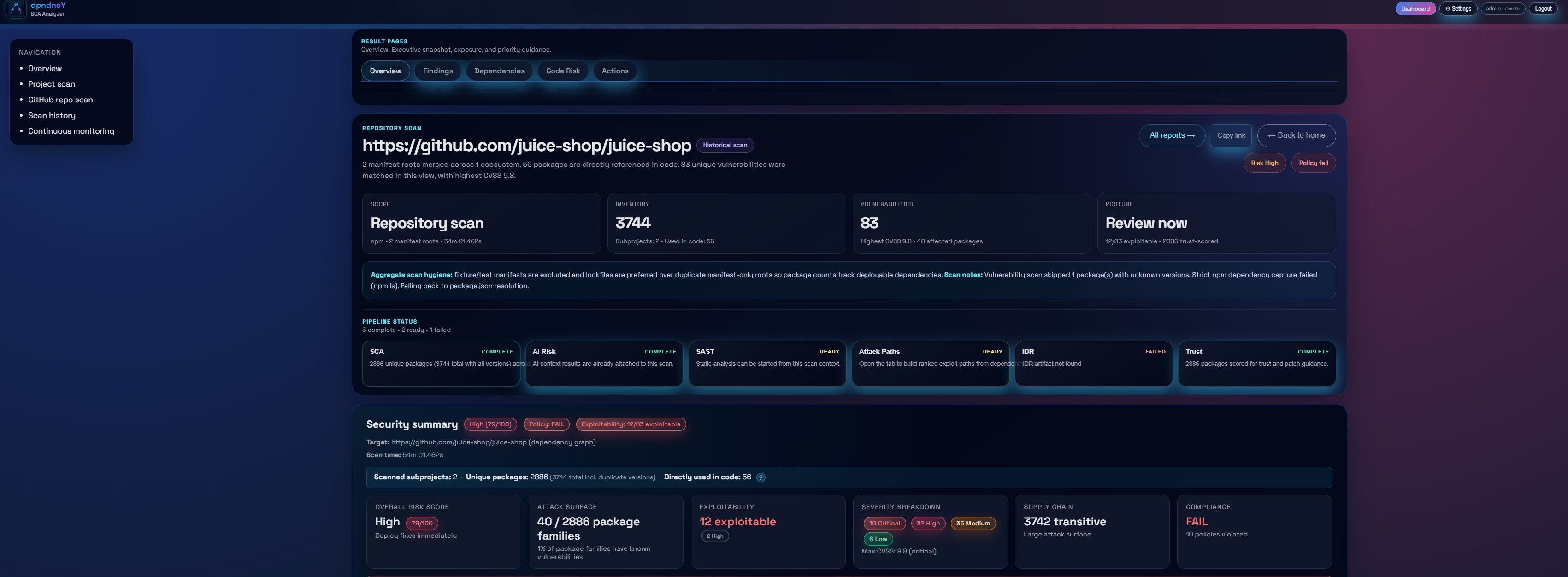
Instant risk clarity on every scan
The dashboard gives a complete picture of your repository's security posture — vulnerability counts, severity breakdown, AI risk narrative, SAST status, and scan history trend in a single view.
Total packages, unique CVEs, and high-severity count at a glance
AI-generated risk narrative with policy PASS / FAIL verdict
Security summary with exploitability, EPSS, and CISA KEV stats
Quick-action buttons to jump to findings, remediation, or reports
dpndncy / scan / findings
⚠ Vulnerability Intelligence
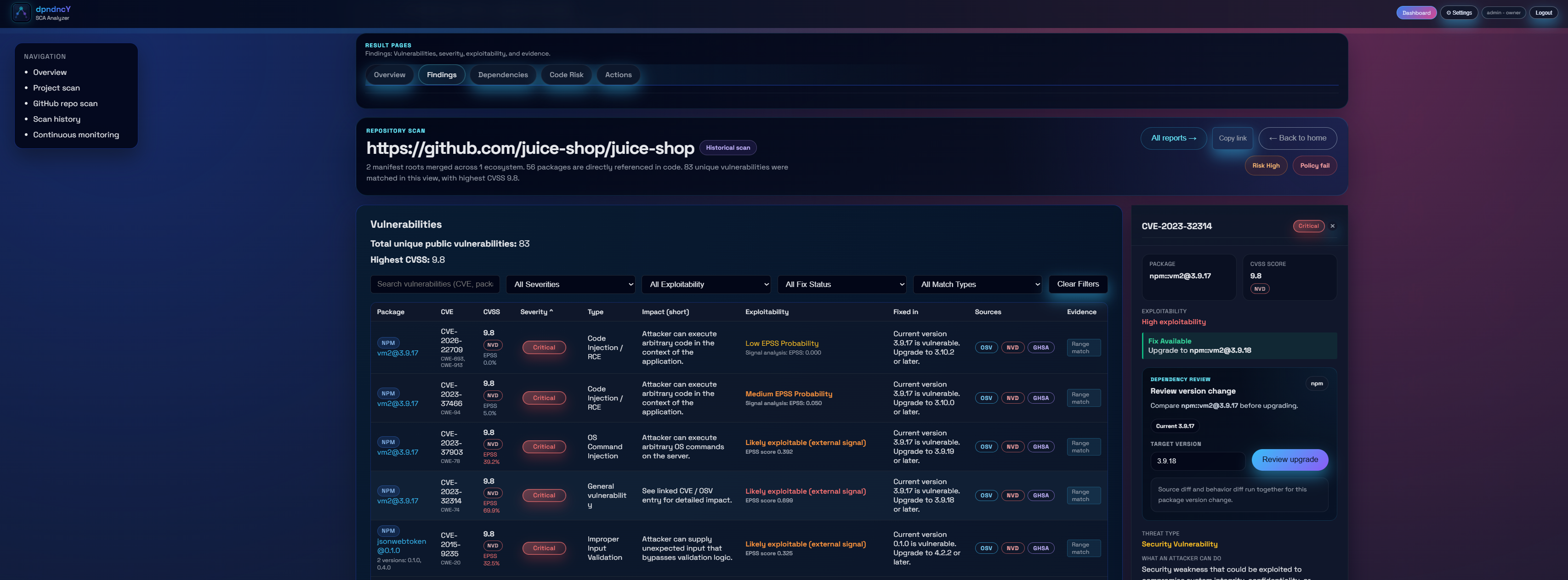
Triage CVEs with full context
The findings table fuses OSV, NVD, and GHSA data with EPSS probability, CISA KEV status, and exploitability signals. Every row is actionable — review upgrade risk, accept, or suppress inline.
CVE list with CVSS, severity, exploitability, and AI Fix badge
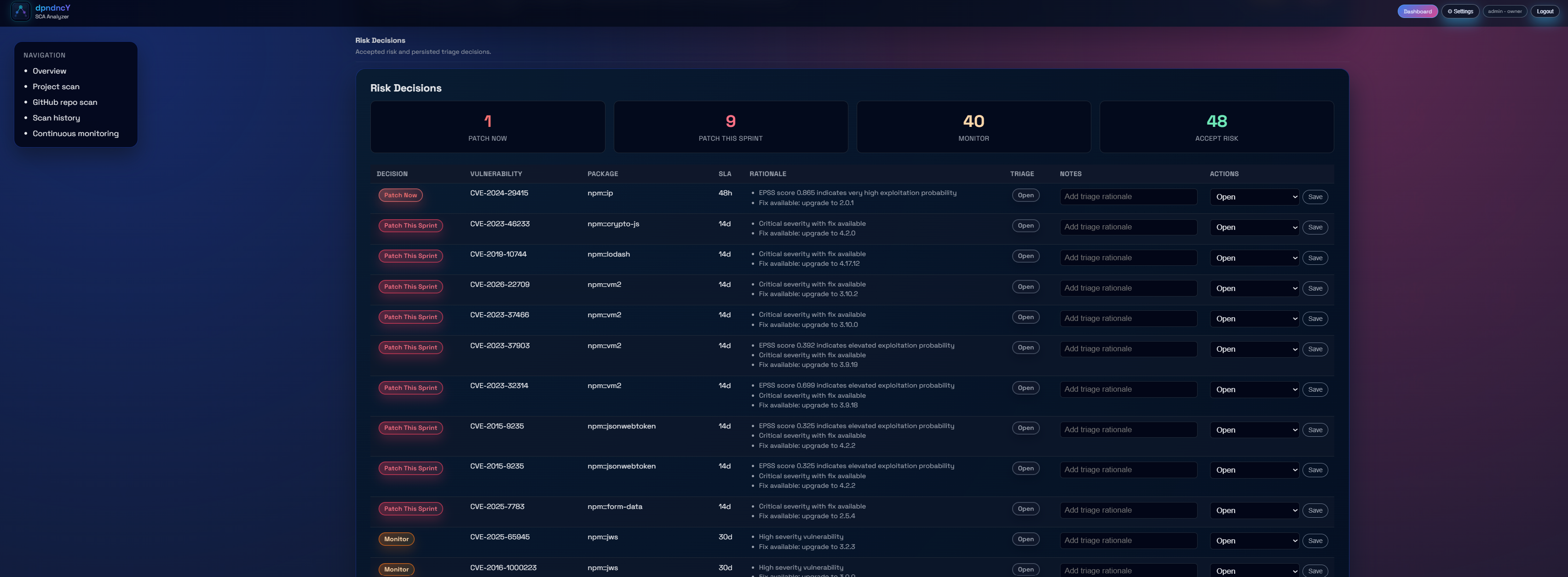
Risk Decisions log: accepted, suppressed, and open findings
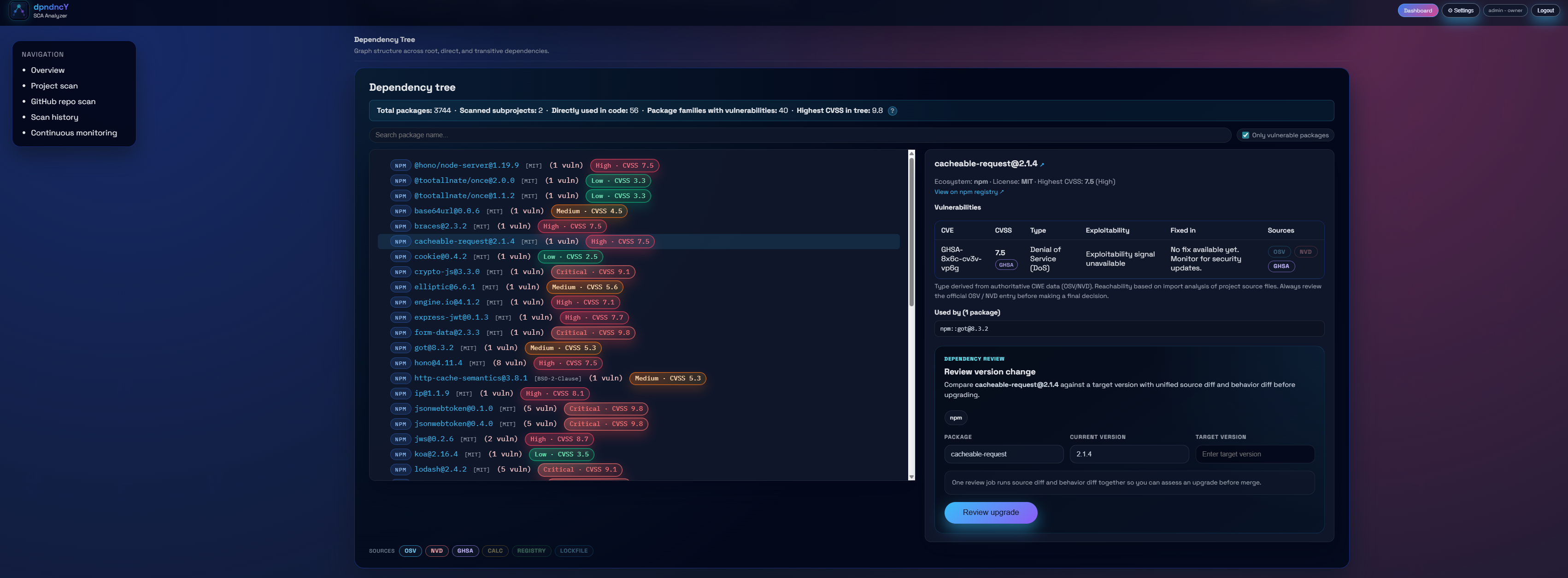
Dependency tree with colour-coded vulnerability heat and version upgrade panel
Filter by match type (range vs. exact), severity, and exploitability
dpndncy / scan / sast
🔍 Static Analysis & AI Risk
Code-level findings and AI context
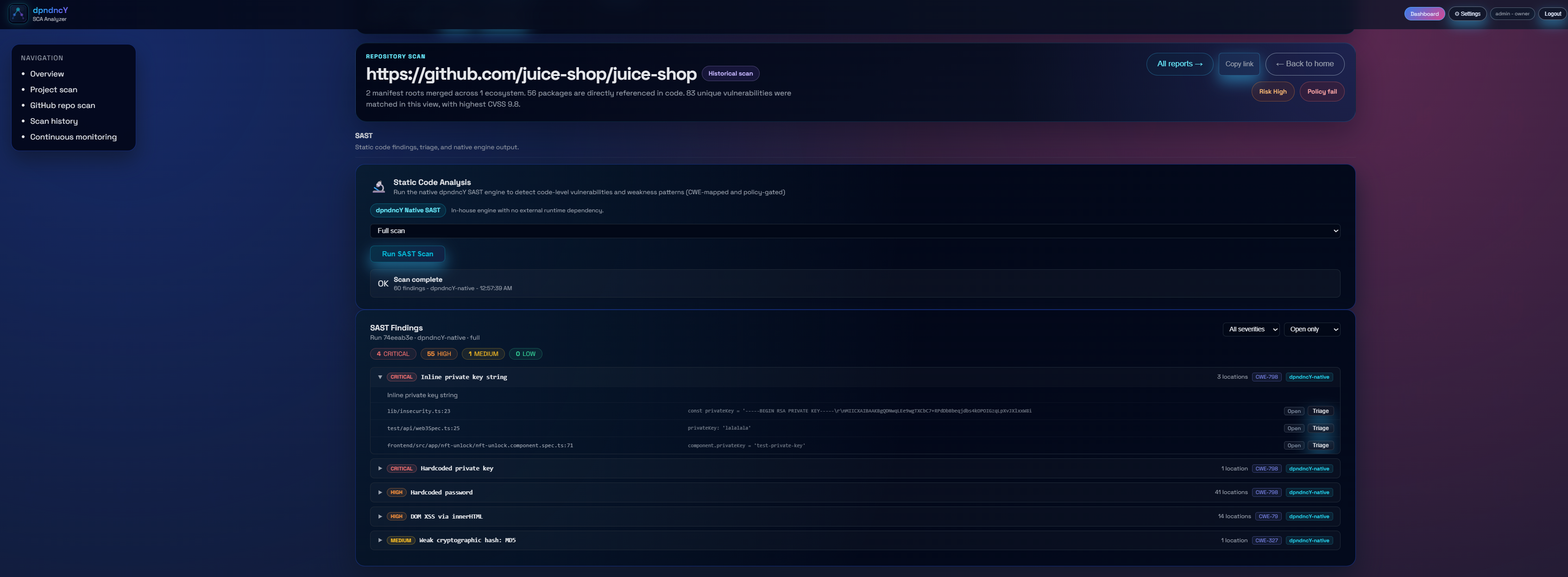
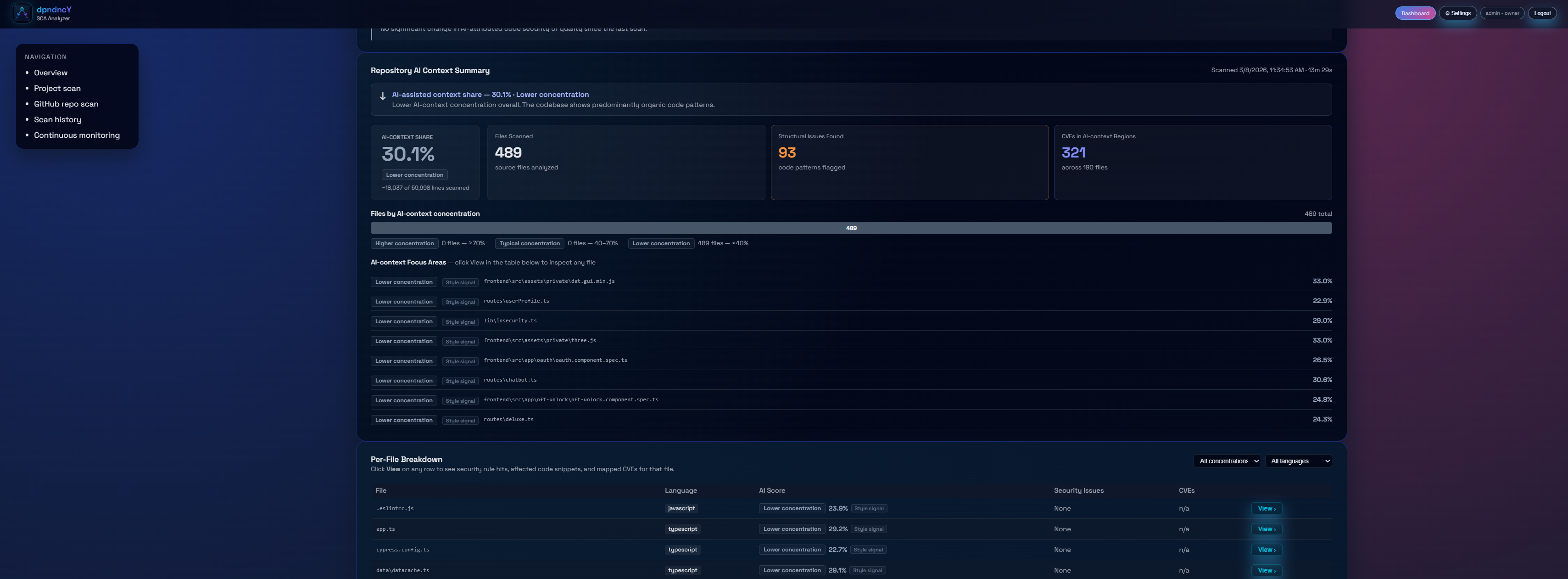
The native SAST engine runs 300+ rules across 9 languages with full taint tracking. AI Risk analysis measures how much of your codebase is AI-generated and maps concentration to security posture.
Per-finding location, confidence, and suppress action
AI content share per file with higher/lower concentration labels
AI focus areas table for targeted governance review
dpndncy / scan / attack-paths
🕸 Attack Path Graph
From vulnerable package to code sink
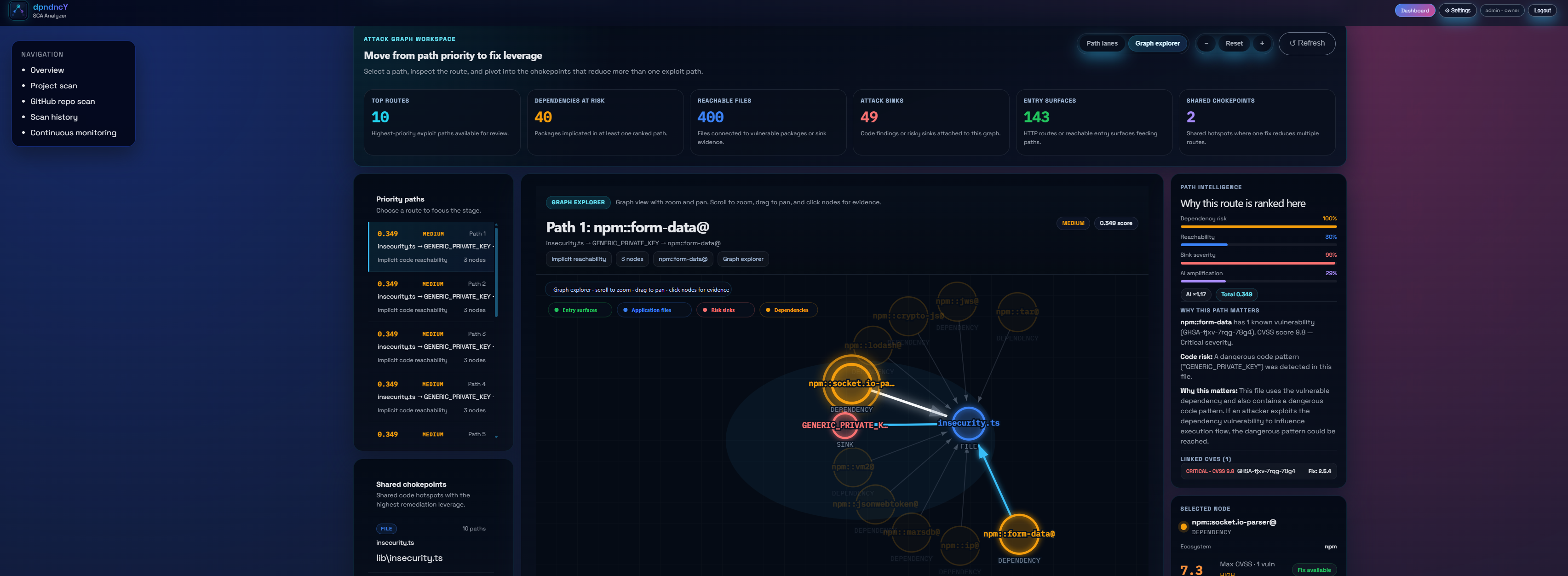
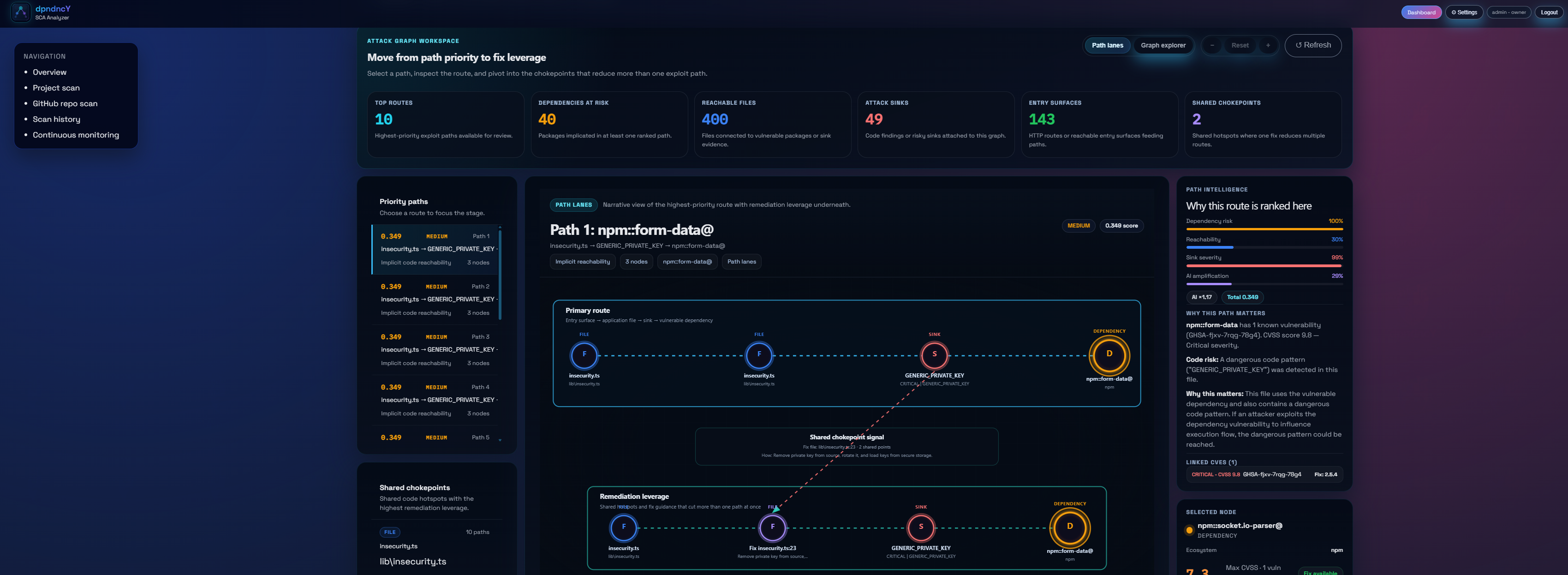
Attack Paths connect vulnerable dependencies to reachable code sinks and HTTP entry points. A scored force-directed graph shows which chains are highest priority — and why.
Force-directed graph with vulnerable dep → import → sink chain
Path score combining dep risk, reachability, sink weight, and AI amplification
Path lanes view for remediation strategy mapping
"Why this is ranked here" explanation panel per path
dpndncy / scan / remediation
🔧 Remediation & Upgrade Risk
Know the net risk before you patch
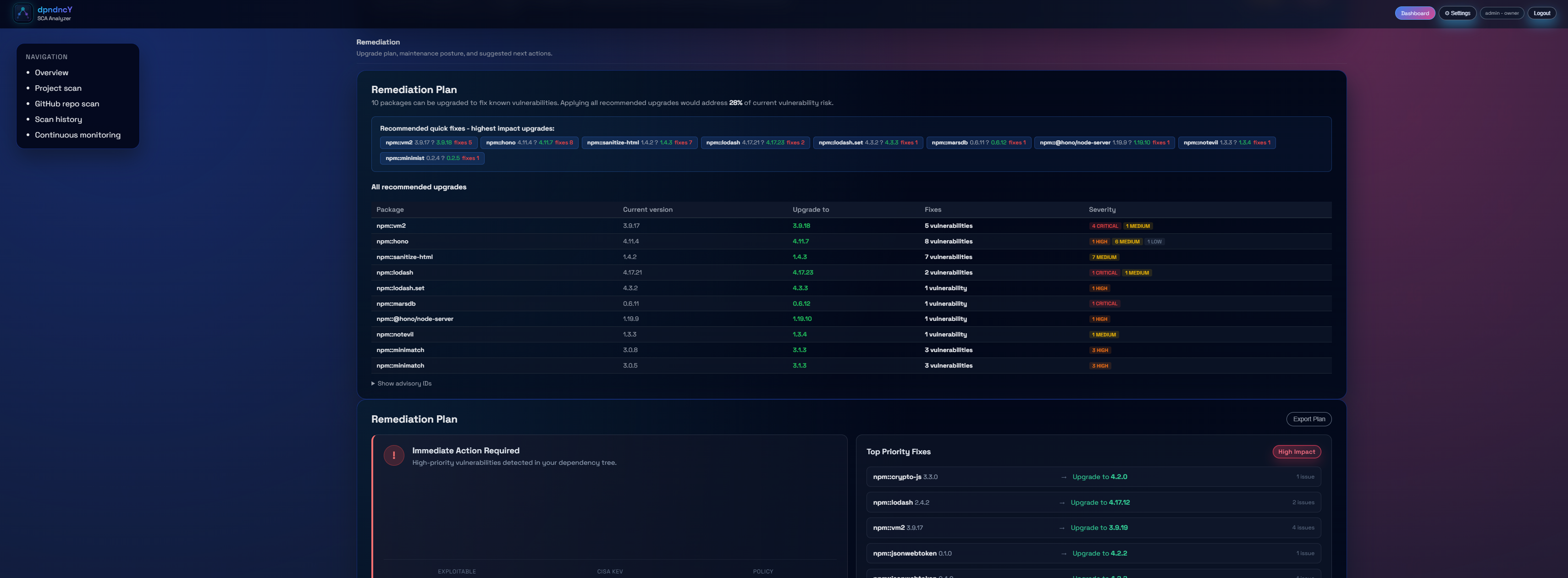
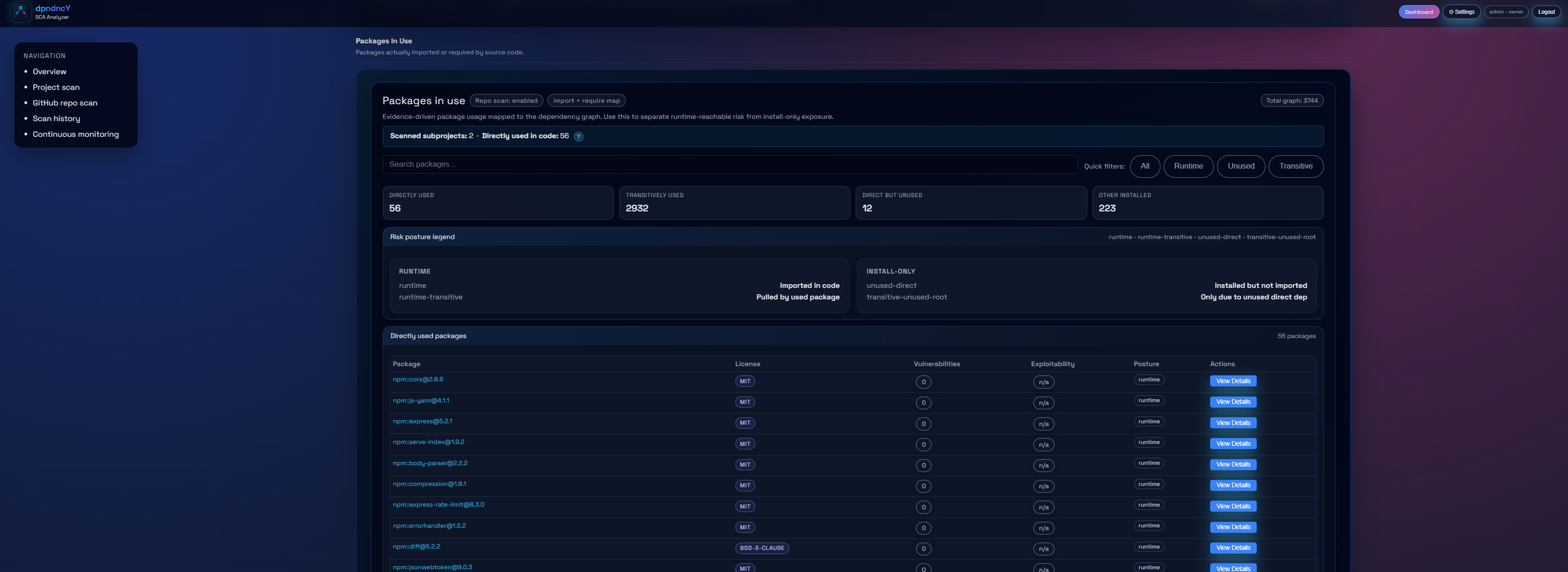
The remediation plan ranks upgrades by impact and shows the net security risk delta — vulnerabilities fixed vs. introduced — so you patch confidently. Runtime analysis shows which packages are actually reachable at runtime.
Recommended upgrades sorted by highest vulnerability impact
Full upgrade table with current version, target version, and fix count
Runtime reachability: directly used, transitive, unused, and install-only
Packages in use graph showing runtime vs. compile-time exposure
dpndncy / policies
📋 Governance & Compliance
Policy, license, trust, and reporting
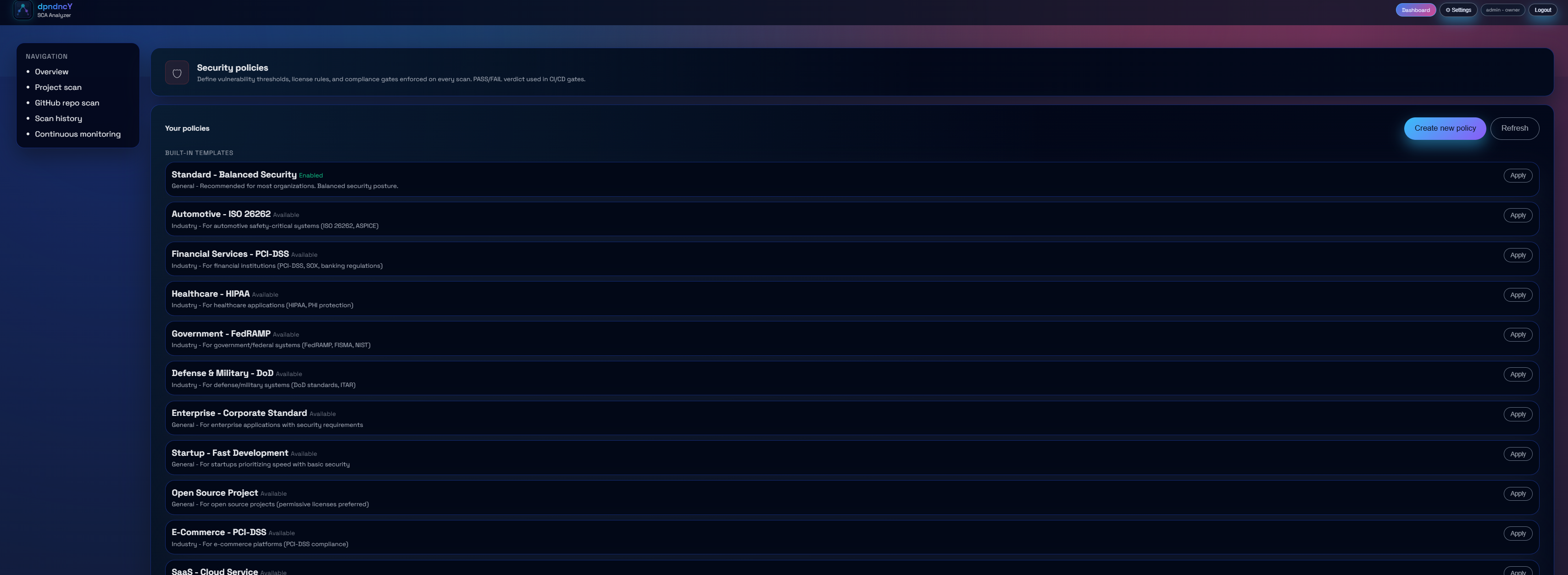
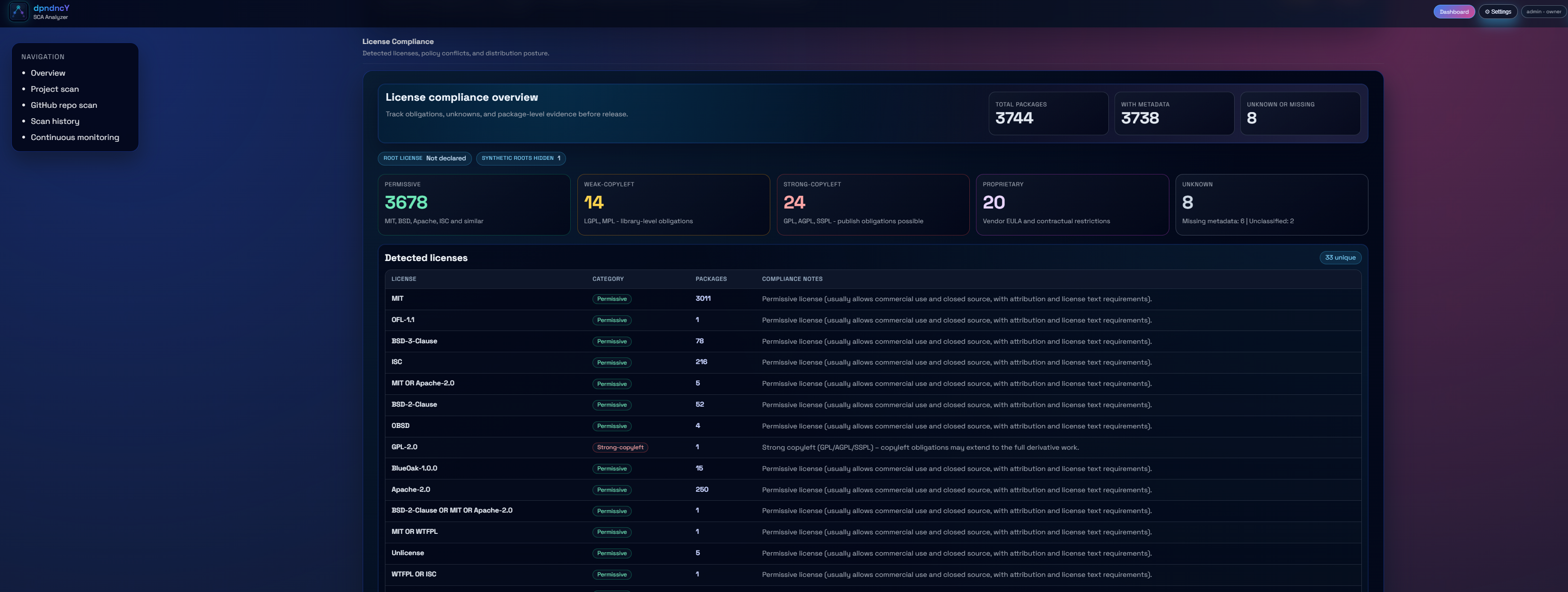
Industry-standard policy templates for HIPAA, PCI-DSS, FedRAMP, ISO 26262, and more. License compliance overview, supply chain trust scoring per package, and one-click exports for audits and CI gates.
Built-in policy templates across 10+ industries — apply and customise
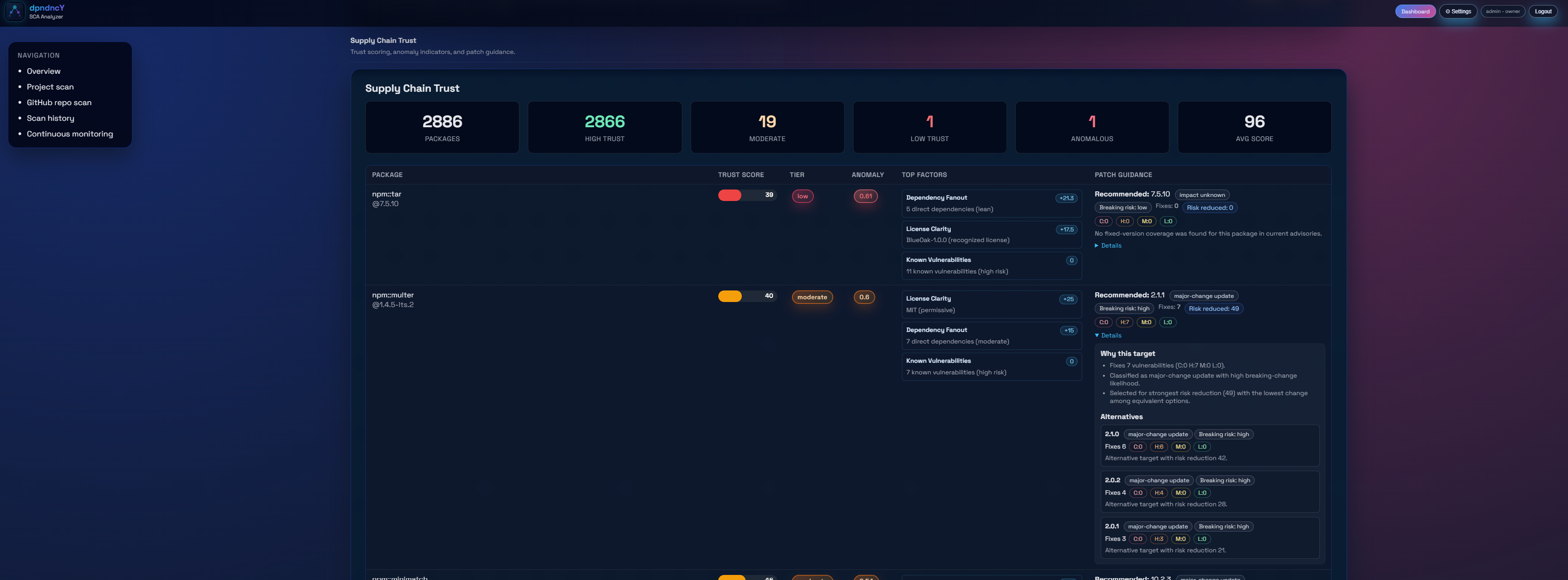
Supply chain trust score with tier, anomalies, and alternative recommendations
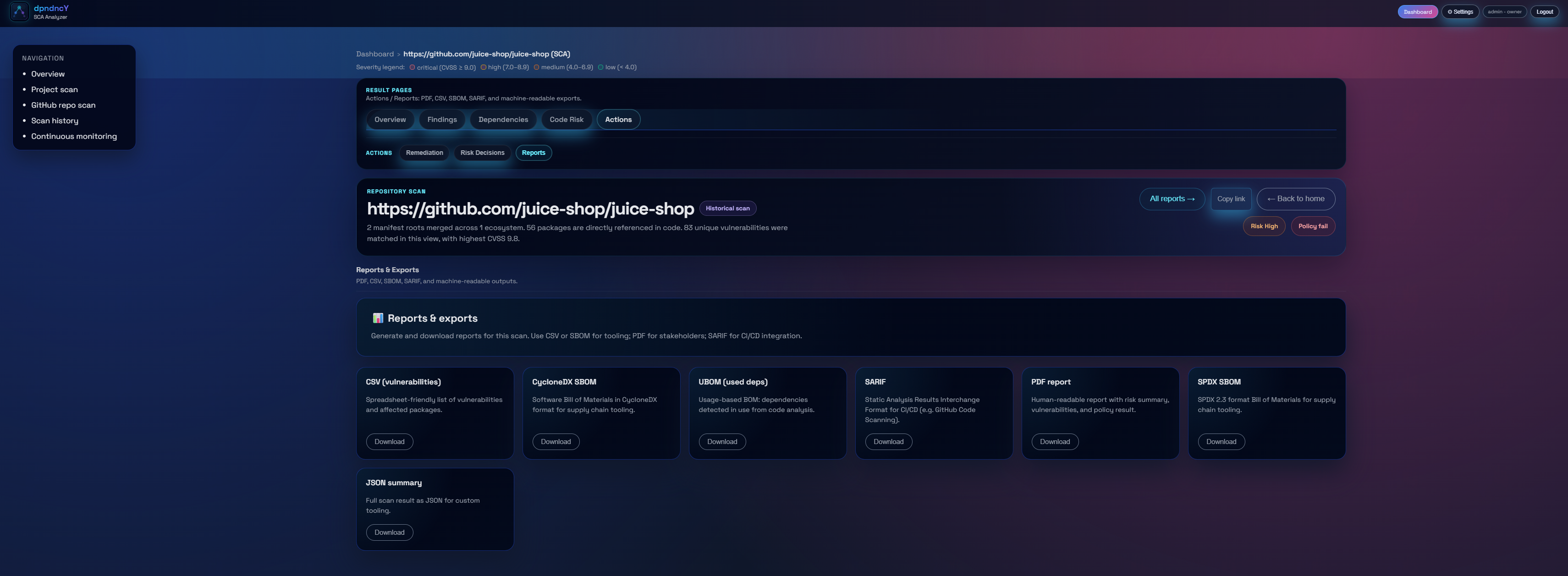
Export SBOM (CycloneDX/SPDX), SARIF, CSV/Excel, and PDF reports
dpndncy / scan
🔗 Integrations
Scan from anywhere in your workflow
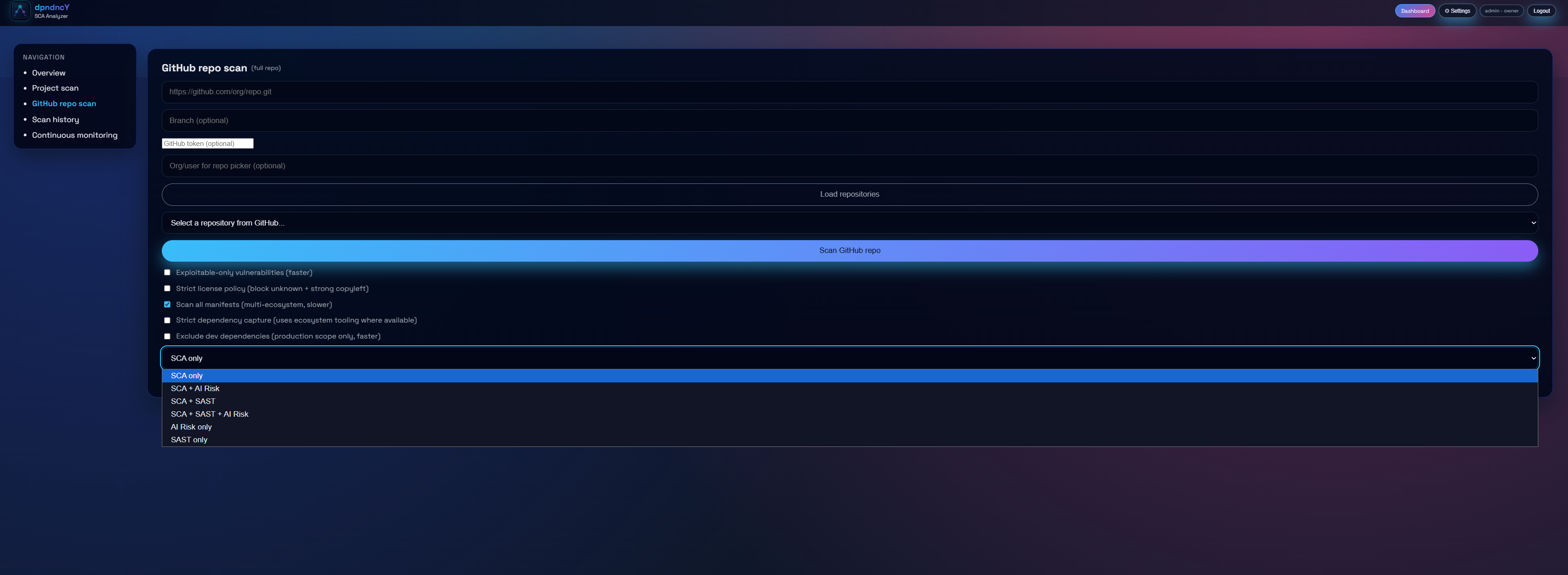
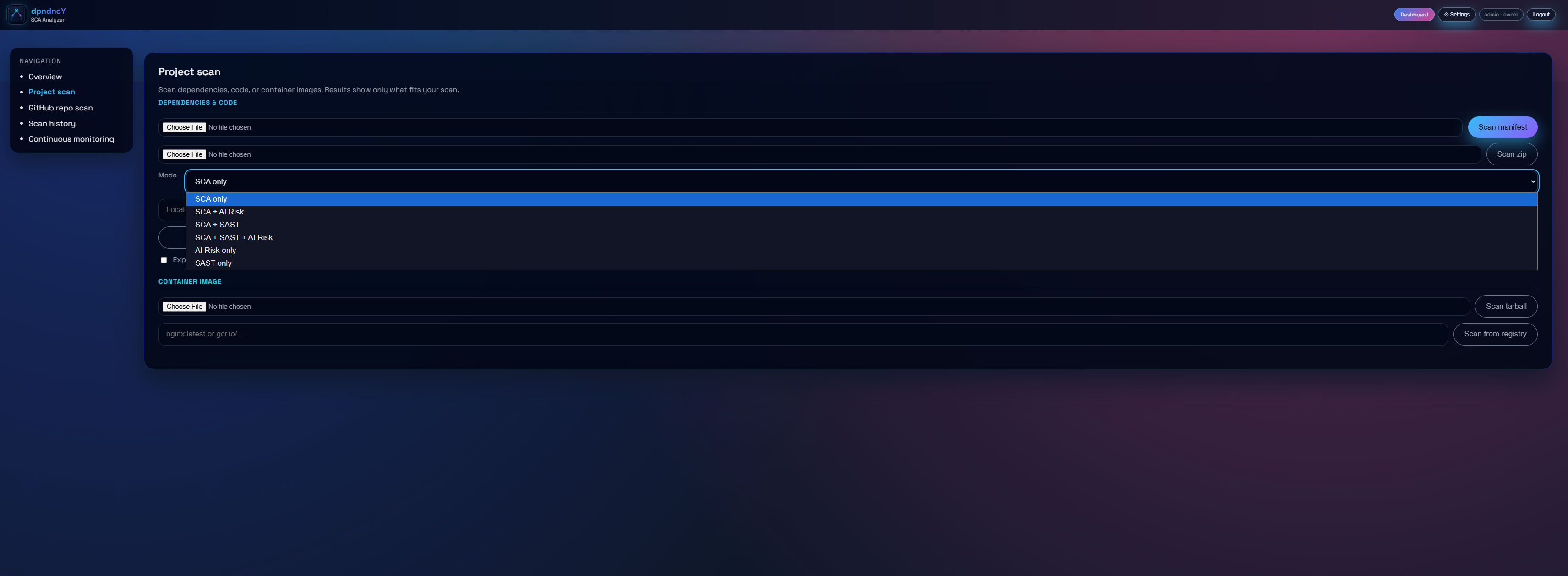
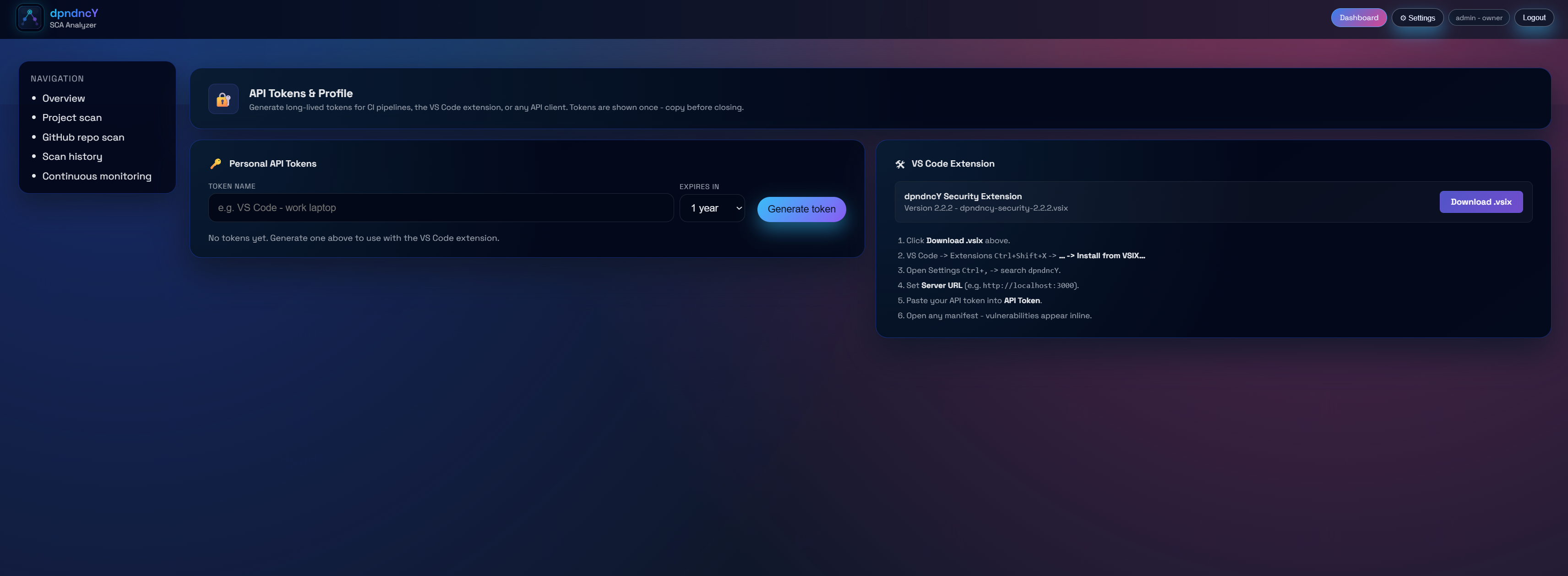
Connect to GitHub or GitLab repos, scan local paths and manifest files, or use the VS Code extension for shift-left scanning during development. PAT-based authentication plugs into any CI/CD pipeline.
GitHub / GitLab repo scan with branch selection and scan mode picker
Local path, uploaded zip, or dependency manifest scan
VS Code extension — scan the open workspace with one click
Personal API tokens for headless CI/CD integration
Ready to see it live?
Request a license, launch the platform, and scan your first repository in minutes.